
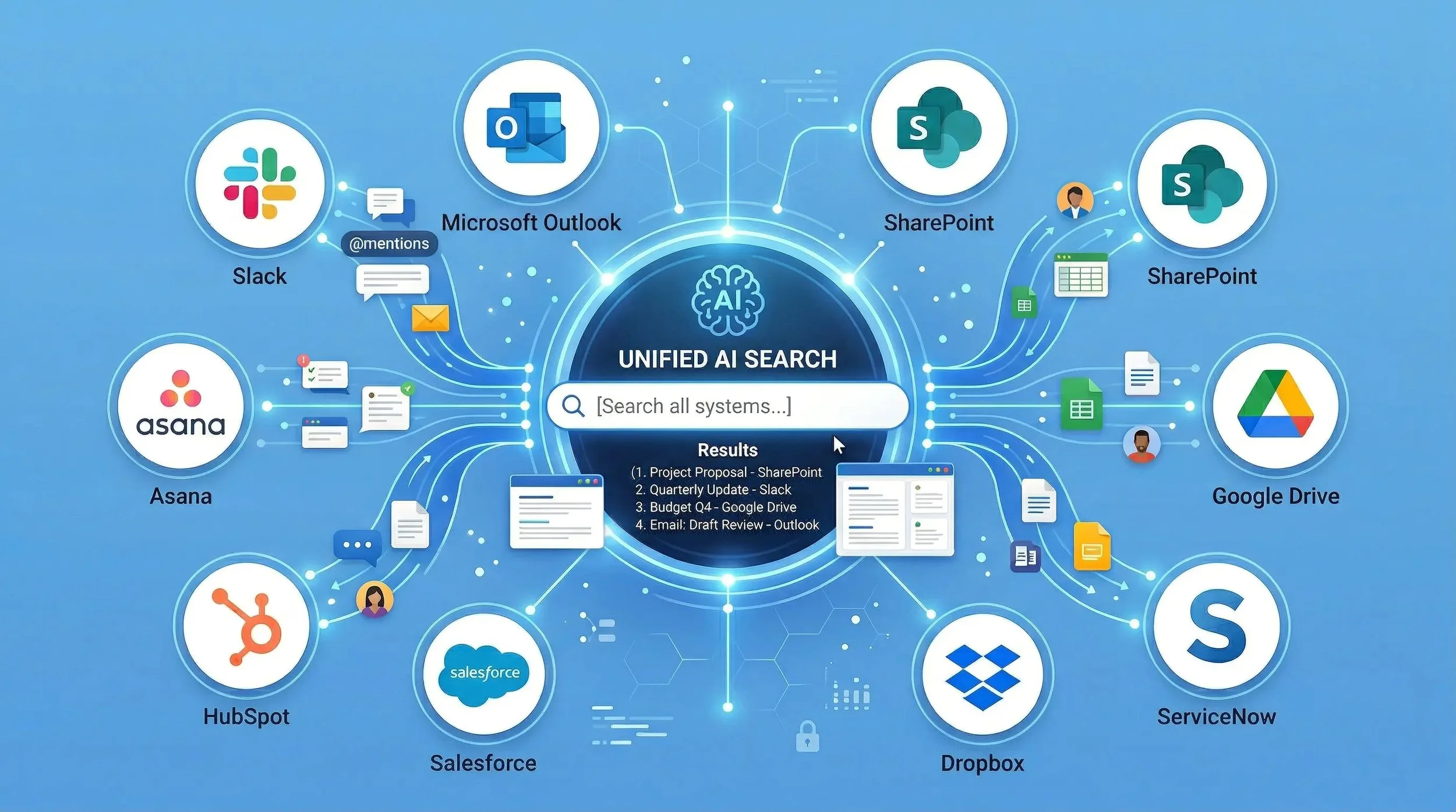
Connect All Your Systems for AI Search: Slack, Outlook, Drive, and More
Most companies don’t have a lack of information.
They have a systems problem.
Files and internal data live across:
Slack messages and shared files
Outlook emails and attachments
Microsoft Teams conversations
SharePoint sites and folders
Google Drive documents and shared drives
Dropbox folders
Box
AWS S3, Azure Blob Storage, Google Cloud Storage
network drives and local folders
The result is predictable: people search in the wrong place, use the wrong version, recreate work, and share uncontrolled copies.
If you want AI to work inside your organization, you need a simple foundation:
Connect all systems. Make everything searchable. Keep source references.
Why “Connect All Systems” Matters
Most “AI search” tools fail for one reason: they only see part of the company.
If your AI can only search SharePoint, it will miss Slack decisions.
If it can only search Outlook, it will miss Drive files.
If it can only search Google Drive, it will miss Teams conversations.
That creates partial answers and low trust.
A real solution needs to connect Slack, Outlook, Drive, SharePoint, and everything else into one unified experience—without forcing teams to move files.
What It Means to Connect Slack, Outlook, Drive, and SharePoint
Connecting systems is not just “linking accounts.”
A usable enterprise search layer must:
Respect permissions
People should only see what they already have access to.Index the content, not just titles
Search inside PDFs, documents, spreadsheets, and presentations—not only filenames.Work across formats
Docs, PDFs, slides, spreadsheets, images, video, and audio.Keep references back to the original source
So users can verify where the information came from and open it in the original system.Handle version confusion
So teams find the right file and the right version faster.
Unified Search Across Slack + Outlook + Drive: What You Can Do
When your systems are connected, search becomes practical:
Search Slack and find the file behind the message
Search the decision or keyword
Jump to the relevant message thread
See linked files and source references
Search Outlook and find the attachment you need
Find the email
Find the attachment
Confirm it’s the correct version using metadata and context
Search SharePoint and Drive in one query
Stop guessing “where it lives”
Search by content across both ecosystems
Preview and confirm before opening multiple files
Search across cloud storage and archives
Find older project material without digging through folders
Reduce rework by reusing what already exists
The Practical Output: Search, Preview, Summarize, Compile
Once your systems are connected, the next step is making results usable:
1) Instant preview
You should be able to preview content directly in search results—without downloading and opening 10 versions.
2) AI summaries
Summarize a single document in seconds.
Or summarize multiple documents into a combined overview.
3) Compilations across sources
When you need a quick brief (for a meeting, client, or internal decision), you should be able to compile information from multiple systems—with clear source references back to the originals.
This is where AI becomes operational, not just interesting.
Which Systems Should You Connect First?
Most companies should start with the systems that create the most daily friction.
A common starting point is:
SharePoint / Teams (project material, internal docs)
Slack (decisions, discussions, links, shared files)
Outlook (customer threads, approvals, attachments)
Google Drive (docs in parallel ecosystems)
Dropbox/Box (external sharing and legacy folders)
You do not need to connect everything on day one.
Start with 2–3 systems, prove value quickly, then expand.
Common Use Cases That Drive Fast ROI
Use case 1: “Find the latest version”
People waste time confirming which file is correct.
A unified search layer reduces version confusion by making:
source system clear
metadata visible
previews instant
references traceable
Use case 2: “Stop recreating work”
If teams can find prior deliverables, templates, images, and project material fast, rework drops immediately.
Use case 3: “Controlled external sharing”
Instead of sending copies through email chains, use controlled links with:
permissions
time limits
traceability
revoke access
Why This Beats “Just Use Microsoft Search” or “Just Use Google Search”
Microsoft and Google are strong inside their ecosystems.
But most companies are not pure Microsoft or pure Google.
They run on mixed stacks:
Microsoft + Slack
Microsoft + Dropbox
Google + Outlook
Google + SharePoint (yes, it happens)
multiple cloud storage layers
That’s why “connect all systems” is the real requirement.
If your tools can’t search across competing ecosystems, your AI remains incomplete.
What to Look For in a “Connect All Systems” Platform
If you are evaluating options, keep it simple:
Can it connect Slack + Outlook + SharePoint + Drive (not just one of them)?
Does it search inside files—not only titles?
Does it support images, video, and audio discovery?
Does it keep references back to the original sources?
Can you preview results instantly?
Can you share with control (permissions/time limits/traceability)?
Does it avoid file migration and new storage silos?
If the answer is “no” to any of these, it won’t become a daily tool.
Final Thought
AI does not fix scattered systems.
It amplifies them.
If you want AI that works reliably inside your business, the foundation is clear:
Connect Slack, Outlook, SharePoint, Google Drive, Dropbox, and the rest into one searchable layer—then let AI operate on that.
That is how you turn internal data into a real advantage.
FAQ
Can you connect Slack and Outlook into one search?
Yes—if the platform supports both sources and respects permissions.
Can you search across SharePoint and Google Drive?
Yes—this is one of the most common cross-ecosystem needs.
Do we need to move files?
No—modern approaches should work on top of existing systems.
Can you search inside video and audio?
Yes—through transcription and indexing of speech content.
